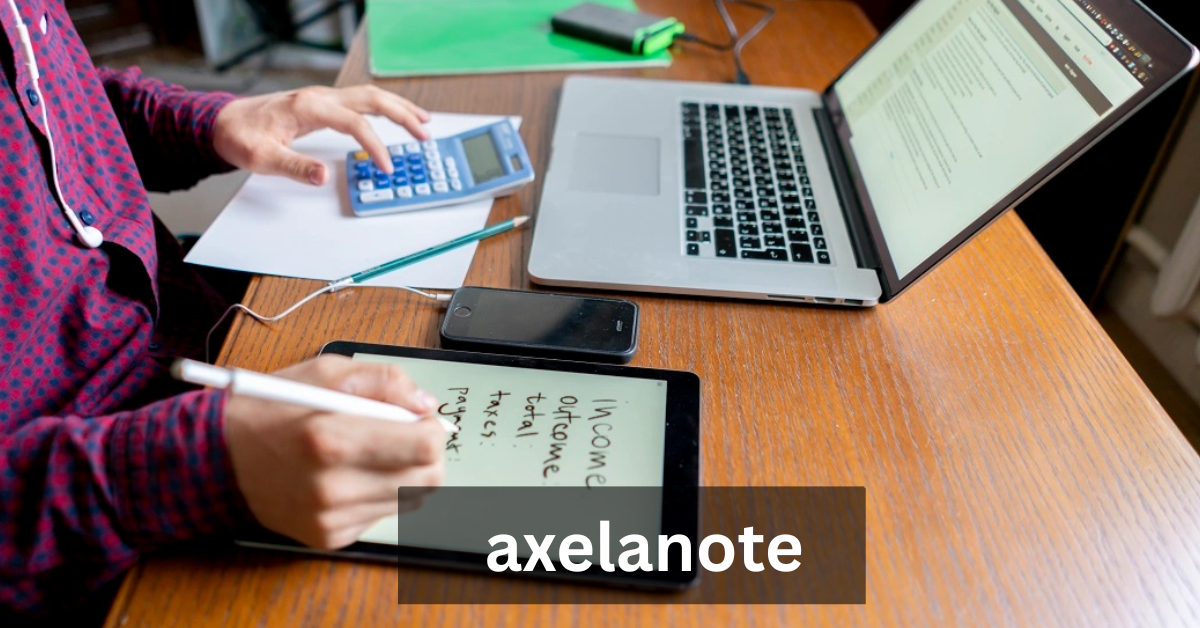
Axelanote is an innovative PDF annotation and note-taking platform designed for professionals, students, and creatives who need a reliable way to capture, organize, and interact with digital documents. Unlike traditional note-taking apps, Axelanote emphasizes a non-destructive approach, allowing users to overlay annotations on PDFs without altering the original content. This feature ensures the integrity of important files while providing powerful tools for collaboration and idea management.
With the rise of digital workflows, software like Axelanote has become essential for managing documents efficiently. By combining annotation software for PDFs with a robust note-taking ecosystem, Axelanote empowers users to streamline their work and enhance productivity.
Developed by TransRecog, Axelanote was conceived as a solution for professionals who needed a secure, flexible, and efficient way to annotate sensitive documents. Traditional PDF editors often alter the original files, which can pose risks in legal, educational, and enterprise environments. Axelanote introduced a layer-based system that allows annotations to be added, edited, and removed without changing the underlying document.
Over the years, Axelanote has evolved into a comprehensive Windows PDF editor and knowledge management tool. It integrates smoothly with popular platforms like Adobe Acrobat Reader, enhancing the user experience by bridging familiar PDF viewing software with advanced annotation capabilities.
At its core, Axelanote functions as both a digital annotation tool and a connected notes system. Users can highlight text, draw shapes, insert handwritten notes, and link annotations across multiple documents. The software supports pen and touch input, making it ideal for tablets and touchscreen devices.
Additionally, Axelanote includes features like automatic numbering, CSV export options, and annotation layer management, making it more than just a PDF editor—it becomes a workflow optimization tool. Whether you’re reviewing technical documents, drafting creative designs, or collaborating on team projects, Axelanote provides a structured and organized approach to document management.
The popularity of Axelanote stems from its ability to combine ease of use with professional-grade tools. Unlike bulky software that complicates workflows, Axelanote prioritizes speed, security, and usability. Its non-destructive annotation layers appeal to industries where document integrity is critical, such as architecture, engineering, education, and government.
Furthermore, Axelanote’s flexibility allows users to integrate it with existing software like Adobe Acrobat Reader, ensuring a smooth adoption process. Its growing reputation as a best PDF annotation software for Windows makes it a trusted solution for knowledge workers and digital productivity enthusiasts alike.
RELATED: Temi Laleye: The Rising Star of UK Finance Journalism
2. Key Features of Axelanote
Non-Destructive Overlay Annotation Layers
One of Axelanote’s standout features is its non-destructive overlay annotation system. Unlike traditional editors that modify the original PDF, Axelanote creates a separate annotation layer. This ensures that the document remains unaltered while allowing users to add, modify, or remove notes as needed.
This feature is particularly valuable for professionals handling sensitive files, such as legal contracts, architectural drawings, or research papers. By preserving the original document, Axelanote guarantees secure PDF annotations while supporting iterative workflows and collaboration.
Handwritten Note Support and Pen Input
Axelanote supports handwritten annotations, making it an ideal tool for touchscreen devices and tablets. Users can draw, sketch, or write notes directly on PDFs, enhancing the interactivity and personalization of their documents.
Pen and touch input support also allows for architecture drawing annotation, enabling designers and engineers to mark up technical blueprints efficiently. This feature bridges the gap between digital and analog workflows, offering the precision of traditional note-taking with the convenience of a digital platform.
Automatic Numbering and Annotation Tools
The software includes advanced tools like automatic numbering, which helps maintain organization in documents with multiple annotations. Users can sequentially number notes, comments, or sections, making it easier to reference and track information.
This feature, combined with overlay annotation software, makes Axelanote an essential tool for professionals who need structured and easily navigable documents, such as engineers, educators, and researchers.
CSV and Data Export Capabilities
Axelanote provides the ability to export annotations and notes in formats like CSV. This functionality is critical for document review software workflows, enabling users to generate reports, summarize findings, or integrate data into other tools.
Exporting annotations not only facilitates collaboration but also supports enterprise PDF collaboration, where multiple stakeholders may need access to structured feedback without altering the original documents.
Integration with Adobe Acrobat Reader and Other PDF Tools
Axelanote seamlessly integrates with widely used PDF viewers like Adobe Acrobat Reader, allowing users to annotate documents without switching between platforms. This integration ensures compatibility and enhances workflow efficiency.
Users can also combine Axelanote with other digital annotation tools to create a comprehensive document management system. This flexibility positions Axelanote as a connected notes system that supports both personal productivity and team collaboration.
Cross-Device Syncing and Workspace Management
Axelanote allows users to sync notes and annotations across multiple devices. Whether you’re working on a desktop in the office or a tablet on the go, your notes are always up-to-date.
Workspace management features let users organize their documents, annotations, and ideas efficiently, making Axelanote a robust knowledge management tool that grows with your needs.
3. Benefits of Using Axelanote
Efficient Document Workflow and Collaboration
Axelanote streamlines workflows by allowing multiple users to annotate, comment, and review PDFs simultaneously. Its annotation layer PDF editor system ensures that original files remain intact, reducing errors and improving collaboration efficiency.
This makes Axelanote an ideal solution for team projects, where clear and organized annotations can save time and enhance productivity. Users can track changes, highlight critical sections, and share updates seamlessly.
Security and Preservation of Original Files
Security is a top priority with Axelanote. The non-destructive annotation layers ensure that the original documents remain untouched, preserving integrity and reducing risks associated with accidental edits.
This feature is particularly important for sensitive materials in legal, educational, and corporate environments, where document authenticity is essential. Axelanote supports secure collaboration while maintaining the highest standards of document protection.
Enhanced Productivity for Professionals and Students
By combining note-taking and PDF annotation in a single platform, Axelanote eliminates the need for multiple tools. Users can write, annotate, organize, and share within a single workflow, significantly boosting productivity.
Students can annotate research papers, engineers can mark technical documents, and professionals can streamline project reviews—all within one powerful platform. This digital note-taking tool supports both individual productivity and team efficiency.
Use in Creative Industries (Architecture, Design, Engineering)
Axelanote excels in industries that require precision and detailed annotations. Architects, designers, and engineers can use the software for architecture drawing annotation, marking revisions, and providing clear feedback on designs.
The ability to add handwritten notes on PDFs makes Axelanote a valuable tool for creative brainstorming and technical design workflows, bridging the gap between traditional paper-based methods and modern digital solutions.
Use in Education and Research
Students, researchers, and educators benefit from Axelanote’s advanced annotation capabilities. They can highlight important information, link ideas, and maintain a connected notes system that supports academic research.
With features like PDF markup software and annotation export options, Axelanote enables knowledge sharing and collaborative learning, making it a powerful tool in academic environments.
4. Axelanote Use Cases
Enterprise and Corporate Applications
Businesses use Axelanote to annotate contracts, project documents, and training materials without altering original files. Its secure system ensures compliance and enables enterprise PDF collaboration across departments.
By centralizing notes and annotations, teams can enhance productivity, reduce errors, and maintain a clear record of document interactions, which is critical for auditing and project management.
Architecture and Construction Workflow
Axelanote supports architecture drawing annotation, allowing architects and engineers to mark up digital blueprints. The overlay annotation software ensures that original drawings are preserved while providing a flexible environment for collaboration and feedback.
This approach streamlines construction planning and document management, making it easier to track revisions and communicate updates across teams.
Education and Academic Research
In educational settings, Axelanote enables students and educators to annotate PDFs, highlight critical points, and link ideas across multiple documents. Researchers can export data, track changes, and maintain an organized knowledge base.
The platform’s non-destructive annotation layers preserve original research papers while allowing for rich, interactive note-taking—a perfect solution for academic workflows.
Government and Public Sector Document Handling
Government agencies rely on Axelanote for secure document handling and review. Protected PDF annotation ensures sensitive files remain unaltered while enabling collaborative reviews and approvals.
Axelanote’s robust security and structured workflow make it a trusted solution for public sector applications, including policy documents, technical manuals, and regulatory reports.
Team Collaboration and Corporate Training Materials
Teams use Axelanote to create interactive training materials, review project documents, and provide feedback in real time. Its digital annotation tools support both synchronous and asynchronous collaboration, making team workflows more efficient.
By maintaining connected notes systems, organizations ensure that knowledge is easily accessible and reusable, enhancing long-term productivity.
5. Axelanote vs Competitors
Axelanote vs Evernote
While Evernote excels as a general note-taking app, it lacks advanced PDF annotation capabilities. Axelanote provides non-destructive overlay layers, making it superior for handling technical documents and protected PDFs.
Axelanote vs OneNote
OneNote offers strong note-taking features but falls short in PDF-specific workflows. Axelanote’s Windows PDF editor tools and integration with Adobe Acrobat Reader provide specialized functionality for professionals who require precise document markup.
Comparison with Other PDF Annotation Tools
Compared to generic PDF editors, Axelanote stands out for its annotation export options, pen input support, and secure layer-based annotations. Users gain a more structured, flexible, and secure environment for handling complex documents.
Pros and Cons for Different Industries
Axelanote is ideal for industries like education, architecture, engineering, and government. However, casual users looking only for basic note-taking may find Evernote or OneNote simpler for their needs.
6. How to Get Started with Axelanote
Downloading and Installing Axelanote
Axelanote can be downloaded from the official TransRecog website. Installation is straightforward, supporting Windows 10 and higher. The software requires minimal system resources while offering advanced annotation capabilities.
Basic Setup and Configuration
Once installed, users can configure workspace layouts, set annotation preferences, and link their notes across multiple documents. Cross-device syncing ensures accessibility from desktops, tablets, and laptops.
Step-by-Step Guide to Annotating PDFs
Open a PDF in Axelanote or Adobe Acrobat Reader.
Select annotation tools such as highlight, pen, or shapes.
Add notes on a separate overlay annotation layer.
Save or export annotations without altering the original file.
Tips for Beginners and Best Practices
Organize annotations by topic or project.
Use automatic numbering for clarity.
Leverage CSV export for collaboration and reporting.
Explore pen input for handwritten notes on touch devices.
7. Advanced Tips and Tricks
Managing Annotation Layers Efficiently
Organize layers by priority, type, or project to keep documents clutter-free. This ensures that annotations remain structured and easy to review.
Linking Notes and Ideas Within Axelanote
Use Axelanote’s connected notes system to cross-reference ideas, creating a digital knowledge ecosystem that enhances productivity and insight.
Exporting Annotations and Reports
Export annotations in CSV or PDF formats to share insights, summarize feedback, or integrate with other enterprise tools.
Using Axelanote for Long-Term Knowledge Management
Over time, Axelanote can become a knowledge management tool, storing accumulated insights, feedback, and revisions in a secure, organized manner.
8. Pricing and Licensing
Overview of Axelanote Pricing Plans
Axelanote offers flexible pricing with free trial options, standard licenses, and enterprise plans. Pricing is competitive compared to other PDF annotation tools and reflects its advanced capabilities.
Free vs Premium Features
Free versions allow basic annotations and note-taking, while premium plans unlock features like CSV export, cross-device syncing, advanced annotation layers, and professional support.
ROI and Cost-Benefit for Businesses and Individuals
For businesses, Axelanote improves workflow efficiency, reduces document errors, and facilitates collaboration. Individuals benefit from a best-in-class PDF annotation software for Windows that supports academic, creative, and professional tasks.
RELATED: Irita Marriott: From Latvia to TV Fame in the UK
Frequently Asked Questions
Is Axelanote Worth It?
Yes. Axelanote offers robust annotation tools, non-destructive layers, and workflow optimization features that surpass basic note-taking apps.
Can Axelanote Work on All Windows Versions?
Axelanote supports Windows 10 and higher, including tablets and hybrid devices.
Does Axelanote Support Collaborative Editing?
Yes. Users can share annotations and work collaboratively while maintaining document integrity.
How Secure Are the Annotations in Axelanote?
Annotations are secure due to non-destructive overlay layers, ensuring the original PDF remains unaltered.
Summary
Axelanote is a powerful, versatile, and secure PDF annotation and note-taking tool designed for professionals, students, and organizations. Its non-destructive overlay layers, pen input support, and advanced export options make it a top choice for industries requiring precision and document integrity.
By combining digital note-taking tools with a robust PDF annotation workflow, Axelanote enhances productivity, collaboration, and knowledge management. With continued development and widespread adoption, Axelanote is poised to remain a leading solution in the world of PDF annotation and connected note systems.